
Executive summary
We ran three open image models, all licensed for commercial use, on a Mac Studio M5 Max with 128 GB of memory: FLUX.2 Klein 4B, Z-Image Turbo and Qwen-Image 2512. Each made the same four images (a photo, a logo, an illustration and a product shot) with the same seed.
- FLUX.2 Klein is the speed pick: 4.0 seconds per 1024×1024 image and 9 GB of memory, so about 900 images an hour on one Mac.
- Qwen-Image has the best quality, especially for photos and design, but needs 52 GB of memory. At its standard 30 steps it took 162 seconds per image.
- A distillation add-on changes Qwen's economics. With the Lightning LoRA (8 steps), Qwen took 44 seconds per image and the results looked almost the same as at 30 steps.
- Z-Image Turbo sits between them: 11.7 seconds and 12 GB, and the most literal at following a prompt.
- None of them reliably spells words or knows specific products. All three wrote "Datogram" or "Dataran" for "Datagram", and none drew the Mac Studio it was asked for.
Our advice: use FLUX.2 Klein as the default for volume, offer Qwen-Image with Lightning as a premium option, and tell users up front that lettering needs checking.
Models and licences
Image models carry very different licences, and several popular ones can't be sold as a service. We chose only models whose licence allows commercial use.
| Model | Size | Licence | Notes |
|---|---|---|---|
| FLUX.2 Klein 4B (Black Forest Labs) | 4B | Apache 2.0 | The 9B version is non-commercial |
| Z-Image Turbo (Tongyi-MAI, Alibaba) | 6B | Apache 2.0 | Distilled for few steps |
| Qwen-Image 2512 (Qwen, Alibaba) | 20B | Apache 2.0 | Newer Qwen-Image 2.1 is research-only |
| Qwen-Image 2512 Lightning LoRA (lightx2v) | add-on | Apache 2.0 | Cuts Qwen from 30 steps to 8 |
Test setup
| Part | What we used |
|---|---|
| Mac | Mac Studio M5 Max, 128 GB |
| Software | mflux 0.24.0 (image models on Apple's MLX framework) |
| Weights | 8-bit quantized copies, made once with mflux-save and loaded from the Mac's SSD |
| Images | 1024×1024, seed 42, each model's recommended number of steps |
| Timing | Generation only, model already loaded; median of the four prompts |
The four prompts:
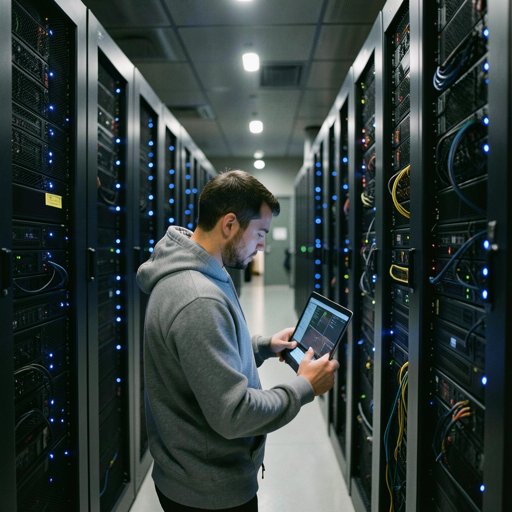
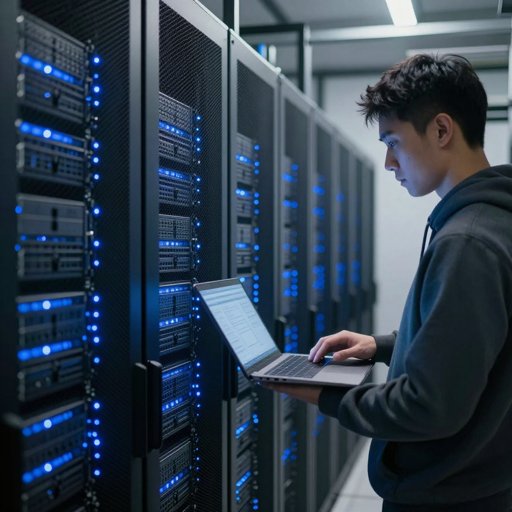
- Photo: "A photograph of a modern data center aisle at night, rows of server racks with blue status lights, a technician in a grey hoodie checking a laptop, shallow depth of field, 35mm"
- Logo: "A clean flat vector logo for a company called "Datagram", the word Datagram in bold sans-serif letters next to a simple geometric network icon, navy and teal on white"
- Illustration: "A cheerful watercolor illustration of a fox reading a book under a tree in autumn, warm colors, children's book style"
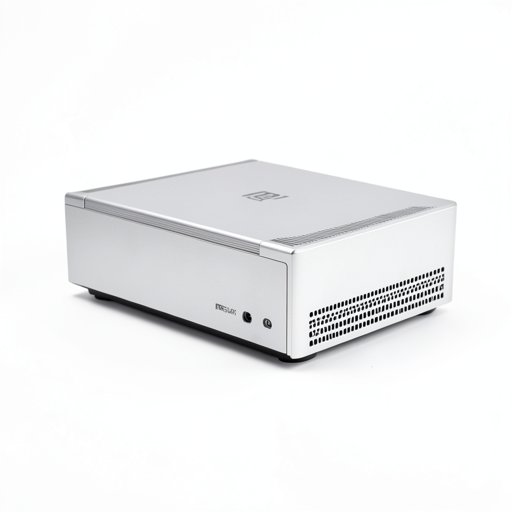
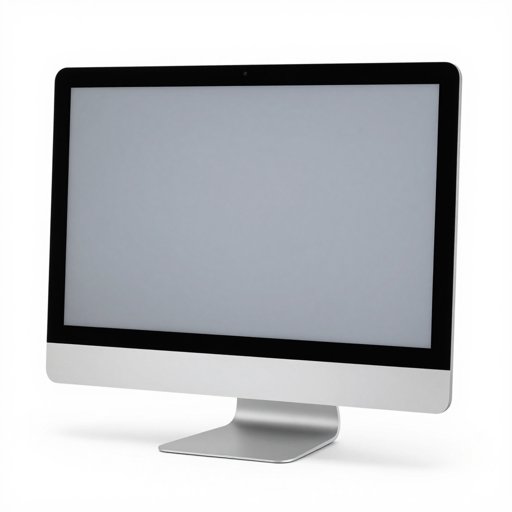
- Product: "Studio product shot of a silver Mac Studio computer on a white seamless background, soft shadows, high detail, commercial photography"
Speed and memory
The first image after loading was slower for every model (FLUX.2 Klein 5.7 s, Z-Image 15.0 s, Qwen with Lightning 47.4 s); later images settled at the medians above. Loading the 8-bit weights from SSD took 0.3 s for FLUX.2 Klein, 1.2 s for Z-Image and 8.4 s for Qwen.
| Model | Disk (8-bit) | Images per hour on one Mac |
|---|---|---|
| FLUX.2 Klein 4B | 8 GB | about 900 |
| Z-Image Turbo | 10 GB | about 300 |
| Qwen-Image + Lightning | 35 GB | about 80 |
| Qwen-Image (30 steps) | 34 GB | about 22 |
Memory decides what can share the Mac. FLUX.2 Klein and Z-Image fit beside large language models on a 128 GB Mac with room to spare. Qwen-Image's 52 GB does not always fit when the Mac is also serving big chat models, so our image service checks free memory before loading it and asks the user to try again (or use FLUX) instead of letting the Mac swap.
Quality
Each row is one prompt; the images are shown at half size.
| FLUX.2 Klein 4B | Z-Image Turbo | Qwen + Lightning | Qwen-Image |
|---|---|---|---|
 |
 |
 |
 |
 |
 |
 |
 |
 |
 |
 |
 |
 |
 |
 |
 |
- Photo: all usable. Qwen gave the most finished image; Z-Image followed the prompt most literally (a laptop, as asked); FLUX.2 Klein gave a tablet.
- Logo: all misspelled the name. Qwen's design was clearly the most professional. In a separate test, Qwen spelled a short, common phrase ("BLUE NOTE") correctly in large letters but turned the small subtitle into gibberish.
- Illustration: all excellent; this is what every model does best.
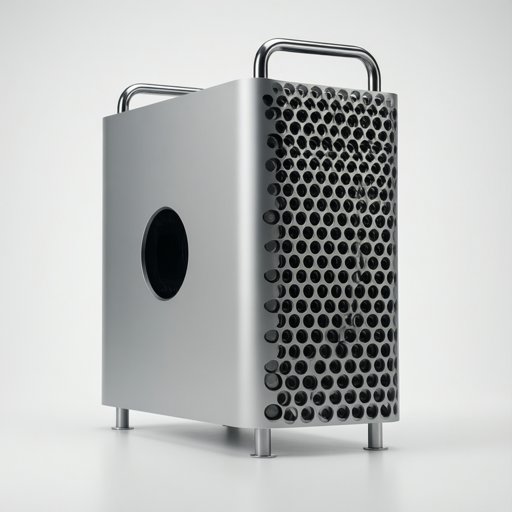
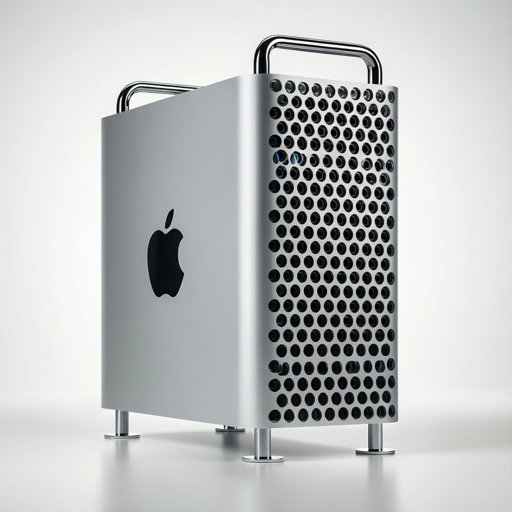
- Product: none drew a Mac Studio. FLUX.2 Klein drew a generic box, Z-Image a monitor, and Qwen a Mac Pro, complete with an Apple logo at 30 steps. Models can reproduce trademarks, which matters for commercial use.
Lightning against standard Qwen: the 8-step images are slightly softer in fine detail but very close in composition and quality, at about a quarter of the time. One caveat: when mflux bakes the LoRA into 8-bit weights, it reports that only 32% of the LoRA's change survives the rounding. The results were still good; applying the LoRA without baking may improve them further.
Cost
Compute time is the main cost of serving images, so speed sets the price floor. As a share of one Mac's hour, a Qwen image costs about 11 times as much as a FLUX.2 Klein image.
| Model | Our price (November 2026) | Hosted APIs, approximately |
|---|---|---|
| FLUX.2 Klein 4B | $0.01 | $0.005–0.014 |
| Z-Image Turbo | $0.01 | |
| Qwen-Image + Lightning | $0.018 | about $0.02 for Qwen-Image |
Hosted prices vary by provider and by megapixel; check current rates. The point that matters more for many buyers: on our service, prompts and images are never stored.
Practical guidance
| You want… | Use |
|---|---|
| Many images, quickly and cheaply | FLUX.2 Klein 4B |
| The prompt followed literally | Z-Image Turbo |
| The best-looking result, logos and posters | Qwen-Image with Lightning |
| Exact text or a real product | None of these on their own: add the text afterwards, or start from a real photo |
For running these on your own Mac, mflux on MLX is the simplest route: one Python package, 8-bit copies made once, and the models load in seconds. Leave memory for the largest image model you plan to load.
Limitations
- Four prompts, one seed each. Quality judgements are ours and subjective; other seeds give other images.
- Qwen ran while a 45 GB language model was also loaded on the same Mac, so its times may be a little slow.
- One Mac. The M5 Ultra has twice the GPU cores of the M5 Max, so we expect it to be considerably faster; we will add measured results when it is tested.
- Image models change quickly. We will rerun these tests as new open models with commercial licences appear.
Try it on our private AI API
The same models on our own Apple Silicon, by the token or by the image. Prompts and results are never stored.